RFI follow-up
Turn unanswered site questions into tracked RFIs and follow-ups
Make an unresolved project question visible before it scrolls away, while keeping the response connected to the original site context.
What goes wrong without a record
The conversation moves faster than the administration.
A question asked in chat can look like normal conversation even when work cannot proceed without an answer.
- No one owns the unanswered question
- The RFI is drafted without the original context
- Responses arrive in a different channel
- The project record never reflects the outcome
Site instruction
RFI · Level 3 rebar specification
- Owner
- Site carpenter
- Due
- Thursday
- Project
- Hawthorn Fitout
- Evidence
- 2 source-linked photos
How Convoe handles it
From source conversation to reviewable work.
Detect
An unresolved technical or project question is suggested for review.
Draft
The question and source context form a draft RFI.
Assign
A responsible party and response date are confirmed.
Resolve
The response and resulting work remain connected to the project record.
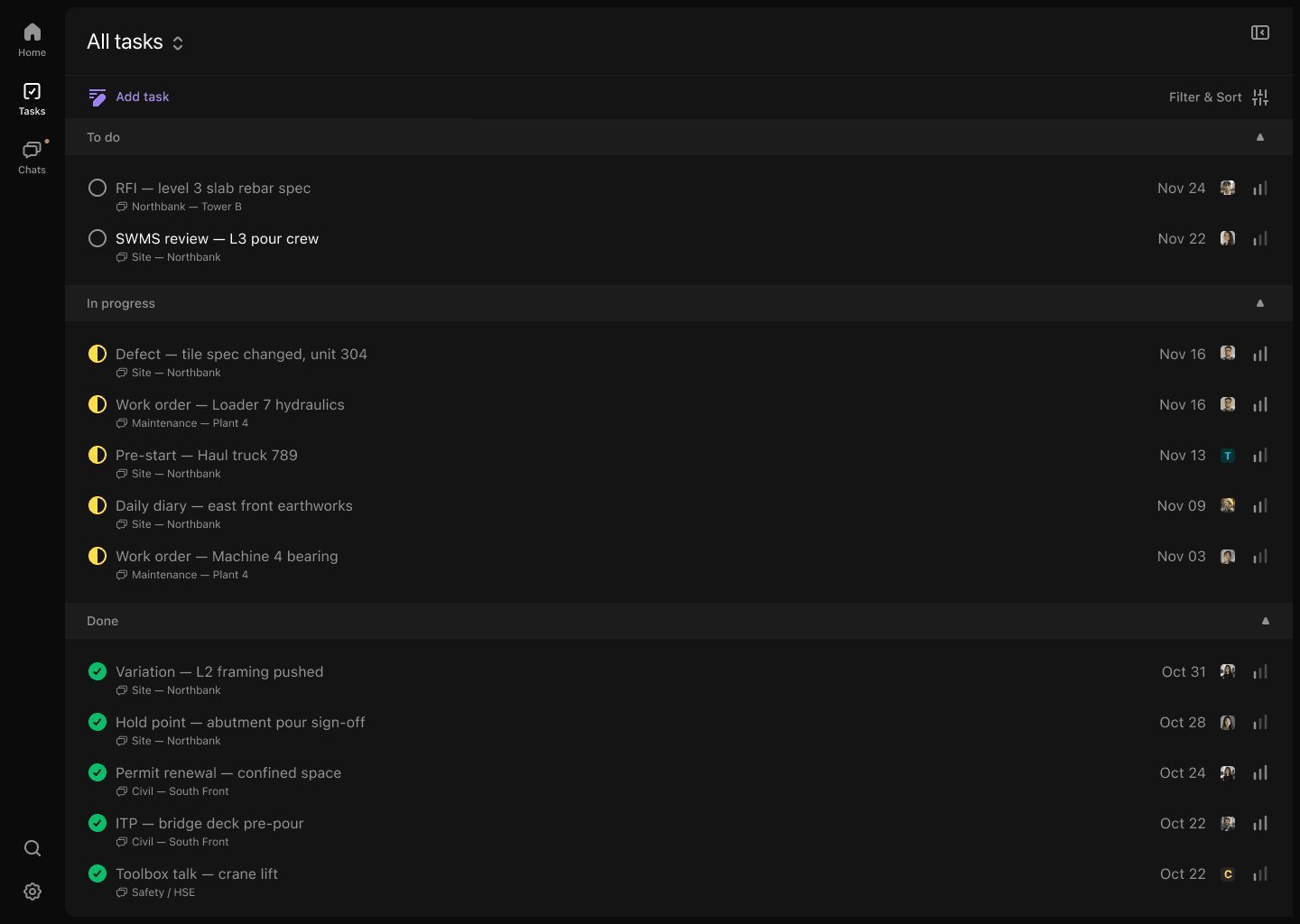
Product proof
The current record stays connected to its source.
- 01Unanswered questions stay visible
- 02Drafting begins with source context
- 03Response ownership is explicit
- 04Outcomes connect back to affected work
Common questions
What the workflow does—and what still needs a person.
Does every question become an RFI?+
No. Convoe can suggest unresolved questions; a person decides whether the issue should become a formal RFI.
Can the response be linked to the work?+
The response and resulting actions can remain connected to the original question and affected project record.
Can RFI due dates be tracked?+
A responsible party and response date can be assigned once the draft is confirmed.
Related construction workflows
One site is enough to start
Start with one project. See what your team stops losing.
The crew can keep working in conversation while owners, dates and source context become visible.