Defect tracking
Create defect records directly from site photos and conversation
Keep the issue, location, trade, rectification owner and before-and-after photos in one reviewable record.
What goes wrong without a record
The conversation moves faster than the administration.
A defect photo without a location, owner or close-out image becomes another unstructured file in the camera roll or chat feed.
- The photo is not tied to a location
- No trade owns rectification
- Due dates are agreed verbally
- Close-out evidence sits in another thread
Site instruction
Defect · cracked render at Unit 12
- Owner
- Site carpenter
- Due
- Thursday
- Project
- Hawthorn Fitout
- Evidence
- 2 source-linked photos
How Convoe handles it
From source conversation to reviewable work.
Post
A site photo and short description are shared in project chat.
Classify
Location, trade and defect wording are confirmed.
Rectify
An owner and due date are attached to the item.
Close
Completion photo and confirmation remain beside the original evidence.
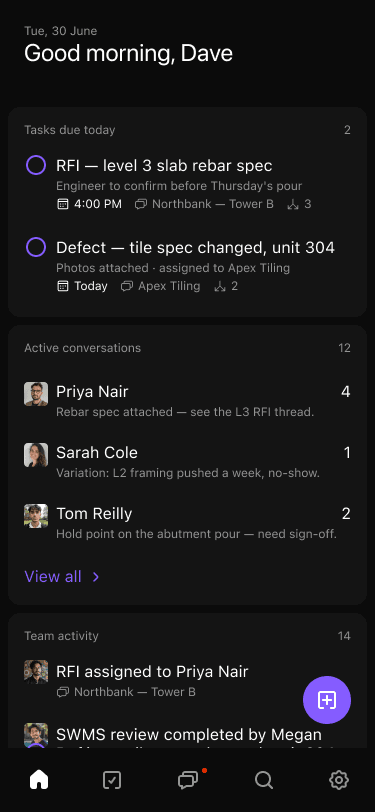
Product proof
The current record stays connected to its source.
- 01Photos keep their location and purpose
- 02Rectification ownership is clear
- 03Before-and-after evidence stays together
- 04Open defects remain visible through handover
Common questions
What the workflow does—and what still needs a person.
Can defects be created on a phone?+
The workflow is designed for field use so the photo and context can be captured where the issue is seen.
Can a completion photo be required?+
A team can use completion evidence as part of its review and close-out process.
Does Convoe inspect the completed work?+
No. A responsible person must review and accept the rectification in accordance with project procedures.
Related construction workflows
One site is enough to start
Start with one project. See what your team stops losing.
The crew can keep working in conversation while owners, dates and source context become visible.