Subcontractor follow-up
Turn subcontractor conversation into visible follow-up
Make requests and commitments easier to own without forcing every field participant to maintain a separate project spreadsheet.
What goes wrong without a record
The conversation moves faster than the administration.
Subcontractor coordination spans messages, calls, photos and verbal commitments, leaving the project manager to reconstruct who agreed to what.
- Commitments are spread across private messages
- Photos are not connected to the request
- Office teams chase status manually
- Handover exposes unresolved items too late
Site instruction
Subcontractor action · ceiling access panels
- Owner
- Site carpenter
- Due
- Thursday
- Project
- Hawthorn Fitout
- Evidence
- 2 source-linked photos
How Convoe handles it
From source conversation to reviewable work.
Capture
The request or commitment is identified in project conversation.
Own
The responsible person and due date are confirmed.
Follow
Reminders and status remain visible to the project team.
Evidence
Completion and supporting photos stay with the source record.
Product proof
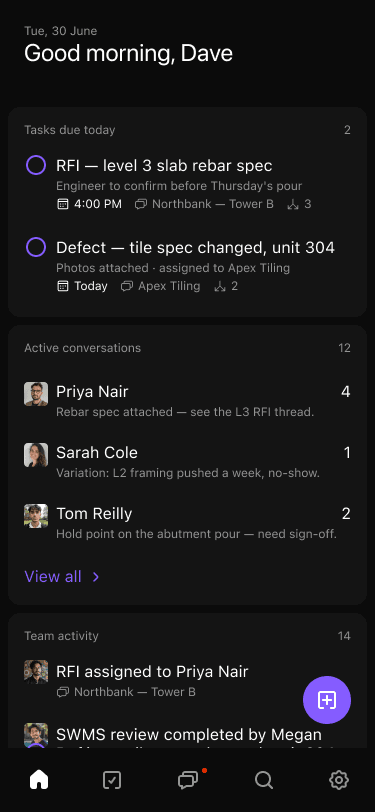
The current record stays connected to its source.
- 01Commitments have named ownership
- 02Office and field see the same status
- 03Photos remain connected to the request
- 04Open items carry into handover
Common questions
What the workflow does—and what still needs a person.
Do subcontractors need a paid AI seat?+
Crew members can use the free core app. Paid AI plans are assigned only where those capabilities are required.
Does Convoe integrate with WhatsApp?+
No WhatsApp integration is claimed. Convoe is its own chat-native work system.
Can completion photos stay with the request?+
Yes. The intended workflow keeps supporting and completion evidence attached to the tracked item.
Related construction workflows
One site is enough to start
Start with one project. See what your team stops losing.
The crew can keep working in conversation while owners, dates and source context become visible.