Convoe is now on iOS — Download from the App Store
Back to Blog
Comparison Mar 21, 2026 7 min read

Convoe vs Monday. com 2026: visual boards vs automatic task creation

Learn about Convoe vs Monday. com 2026: visual boards vs automatic task creation

Convoe Team

Monday. com has a legitimately great product. The visual board interface is polished, the color-coded status views are satisfying to work with, and for teams managing structured operational workflows, it delivers.

But Monday. com has the same fundamental gap as every other project management tool: it doesn't know what your team is discussing in Slack. Every task starts as a blank row that someone has to fill in manually. Every commitment made in a conversation requires a human to bridge the gap between the chat and the board.

For teams with disciplined project managers who can maintain that bridge, Monday. com works well. For teams where tasks regularly slip through because the Slack-to-Monday manual transfer doesn't happen consistently, something has to change.

This Convoe vs Monday. com comparison looks at both tools honestly, what Monday. com does well, where Convoe's architecture is different, and which teams are better served by each.

---

What Monday. com does well

Monday. com has spent years building one of the most visually appealing project management experiences available.

Visual status boards. Monday. com's signature feature is the color-coded board view. Status columns, custom labels, and color coding make it immediately clear what's on track and what isn't. For visual thinkers and managers who do weekly standups by scrolling the board, this is genuinely useful. Workflow automation. Monday. com's automation builder is powerful without being overwhelming. "When status changes to Done, notify this person" or "When due date passes, move to this column", these conditional rules reduce repetitive project management admin significantly. Views and dashboards. Monday. com supports multiple views (board, timeline, calendar, chart, map) and lets you build dashboards that pull data across multiple boards. For leadership reporting and cross-project visibility, this is strong. Monday CRM and Monday Dev. Beyond core project management, Monday. com has expanded into CRM and software development workflows. Teams that want one vendor to handle sales pipeline, project management, and dev tracking can consolidate. Integrations. Monday. com integrates with most common tools, Slack, Google Workspace, Microsoft 365, Salesforce, GitHub, Zoom, and hundreds more.

For operations-heavy teams, event agencies, and organisations with clearly defined repeatable workflows, Monday. com is a strong choice.

---

The gap Monday. com doesn't close

Every team using Monday. com is also using a communication tool. Almost always Slack.

The workflow looks like this: your team discusses work in Slack, a project manager (or whoever's been assigned that role informally) creates the corresponding tasks in Monday. com, and the Monday board becomes the tracking layer.

The problem is the second step. "Whoever creates the Monday tasks" is an informal role that gets skipped when people are busy. Tasks discussed in Slack on a Friday afternoon don't make it to Monday. com until Monday morning, if at all. Commitments made in passing ("I'll ping the client about the timeline") never become tasks at all.

This is not a Monday. com failure specifically. It's a structural problem with any tool that separates where work is discussed from where it's tracked. The bridge between the two is manual, and manual bridges fail.

Monday. com does not have AI that reads your Slack messages and automatically creates tasks. Monday AI exists, but it operates on content already inside Monday. com, it won't extract action items from Slack or any external conversation and convert them to Monday items.

---

How Convoe is different

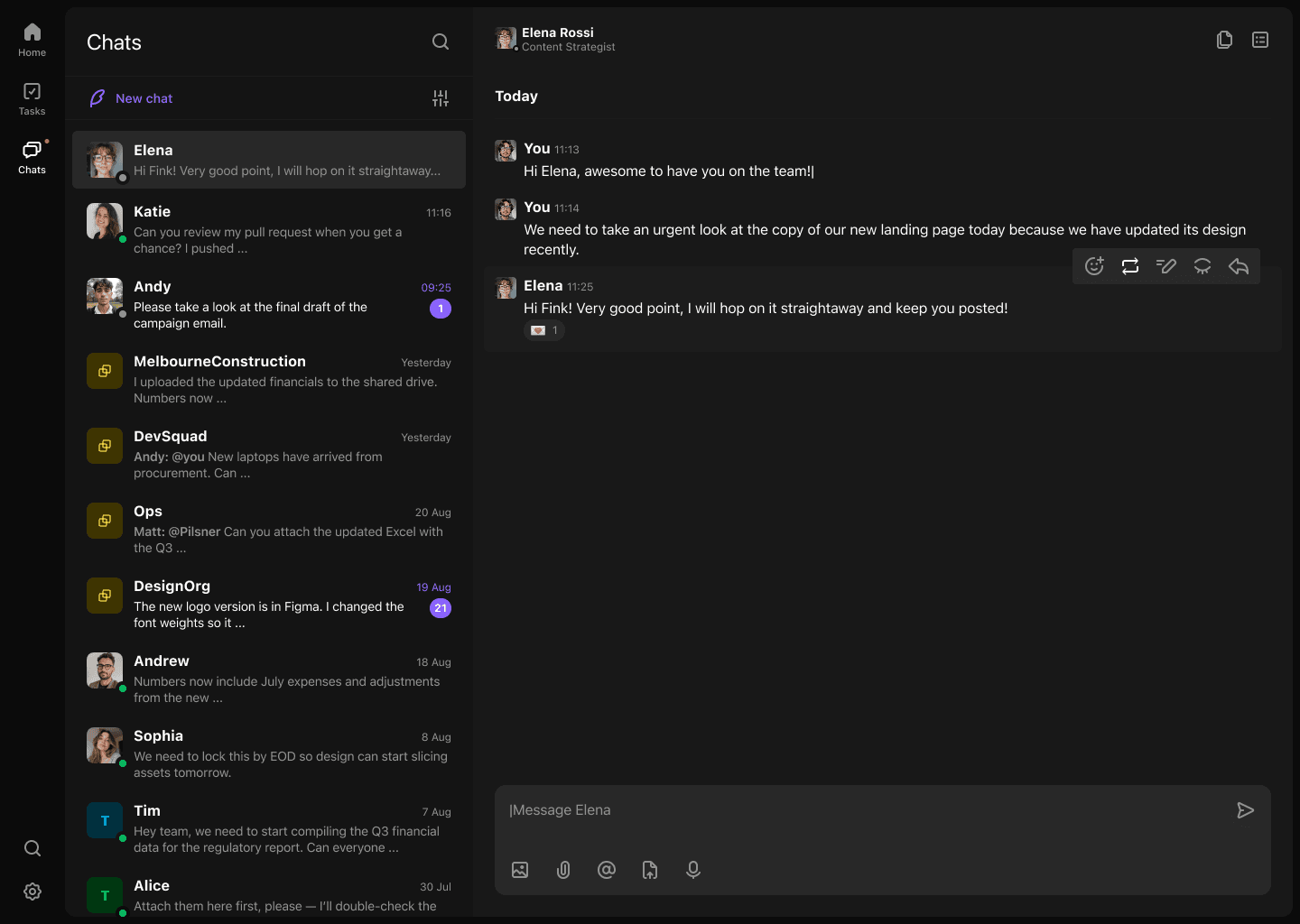
Convoe's architecture combines team chat and task management in one tool, with Kai (Convoe's AI assistant) automatically creating tasks from conversations in real time.

When your team discusses work in a Convoe channel, tasks don't wait for a project manager to create them. They appear on the board as the conversation happens.

Here's a realistic scenario. A small events agency is in their "Event Alpha" Convoe channel three weeks before a corporate conference:

"Venue confirmed the catering setup time, they need our equipment list by EOD Monday. Daniel, can you pull together the AV spec? Jess, please confirm dietary requirements with the client by tomorrow. I'll handle the venue confirmation email after this."

Kai reads this and creates:

  • Task: Prepare AV equipment spec, assigned to Daniel, due Monday
  • Task: Confirm dietary requirements with client, assigned to Jess, due tomorrow
  • Task: Send venue confirmation email, assigned to the message author, due today

Three tasks, correct owners, correct deadlines. Nobody opened Monday. com. Nobody copied anything. The board reflected actual work within seconds of the conversation.

This is Kai in action. The conversation becomes the task brief automatically.

---

Pricing comparison

Monday. com has a tiered pricing structure that adds up quickly once you add more than a handful of seats.

Monday. com pricing (2026)

PlanPrice/user/monthMinimum seatsKey features
Free$0Up to 2 usersVery limited
Basic$93 seats minUnlimited boards, docs
Standard$123 seats minTimeline, calendar, automations (250/month)
Pro$193 seats minPrivate boards, time tracking, more automations
EnterpriseCustom25 seats minAdvanced security, compliance

Monday. com's 3-seat minimum means even a solo founder or 2-person team pays for 3 seats. And most teams need at least Standard ($12) to get timeline views and automations.

Monday. com also does not include team chat. Add Slack Pro ($8.75/user) and you're at $20.75/user/month for Standard + Slack. For a 10-person team, that's $2,490/year, still without automatic task creation from conversations.

Convoe pricing (2026)

PlanPrice/user/monthWhat's included
Early Access$0Everything: chat, tasks, calendar, Kai AI
Full release (planned)~$12All features, no minimum seats
Cost comparison for a 10-person team over 12 months:
StackAnnual cost
Monday. com Standard + Slack Pro$2,490
Monday. com Pro + Slack Pro$3,330
Convoe (early access)$0
Convoe (full release)$1,440

Convoe at full release is 42% cheaper than Monday. com Standard + Slack, and includes AI task creation that neither tool in the combined stack provides.

---

Feature comparison

FeatureConvoeMonday. com BasicMonday. com Standard
Team chat (native)Yes (full)NoNo
AI task creation from conversationsYes (automatic)NoNo
Kanban boardYesYesYes
Timeline/GanttYesNoYes
Calendar viewYesNoYes
AutomationsAI-drivenNo250/month
DashboardsBasicBasicYes
Monday CRMNoNo (add-on)No (add-on)
No per-seat minimumYesNo (3 min)No (3 min)
Price/user/monthFree / $12$9 (3 min)$12 (3 min)

---

Two teams, two different right answers

The operations manager at a 50-person logistics company.

Amara manages fleet coordination, client onboarding, and internal compliance processes. Her work is structured and repeatable. Every client onboarding follows 47 steps. Every vehicle inspection generates the same task types. She needs a system that handles repeatable workflow automation and gives leadership a real-time view of where 15 different client projects stand.

For Amara, Monday. com's automation builder and dashboard reporting earn their cost. She has a dedicated project manager keeping the Monday board current. The Slack-to-Monday bridge works because someone owns it.

The creative director at an 8-person agency.

Leo runs a small team doing brand strategy and digital campaigns. Work is fluid. The team discusses deliverables constantly in chat, across Slack, in meetings, in client call follow-ups. Nobody has time for dedicated task admin. When Leo tried Monday. com, the board was current for the first two weeks and then fell behind as client work picked up. Tasks got missed. Clients noticed.

For Leo, the problem isn't the shape of the task board. It's that tasks created in conversation never reliably made it to any task board. Convoe's automatic task creation from Kai meant the board stayed current without anyone maintaining it. After the first week, Leo's team had a more accurate task view than they'd had in three years on Monday. com.

Both tools are good. The right one depends on whether your team's biggest problem is workflow structure (Monday. com wins) or the chat-to-task gap (Convoe wins).

---

When to choose Monday. com vs Convoe

Choose Monday. com if:
  • You have structured, repeatable workflows that benefit from Monday's automation rules
  • You have a dedicated project manager whose job includes maintaining the task board
  • You need enterprise reporting across large project portfolios
  • You want Monday CRM or Monday Dev as part of the same platform
  • You're willing to pay $20+/user/month for Monday + Slack with manual task bridging
Choose Convoe if:
  • Tasks regularly slip through the gap between your chat tool and task tool
  • Your team discusses work in channels and you want those conversations to automatically become tracked tasks
  • You're a small to mid-sized team (under 200 people) without a dedicated task admin
  • You want to replace two or more subscriptions with one
  • You're in early access and want all features at no cost while evaluating

---

Try Convoe free

If the Monday. com-plus-Slack manual bridging problem is costing your team tasks, a free trial is worth 2 minutes of setup.

Get Early Access to Convoe, all features including Kai included, no credit card required.

Also see: Convoe vs Asana | Convoe vs ClickUp | Best team chat apps with task management

---

SEO Checklist

  • [x] Primary keyword in H1
  • [x] Primary keyword in first 100 words
  • [x] Primary keyword in 2+ H2 headings
  • [x] Keyword density 1-2%
  • [x] 6 internal links
  • [x] 2 external links
  • [x] Meta title under 60 characters
  • [x] Meta description 150-160 characters
  • [x] Article 2000+ words
  • [x] Proper H2/H3 hierarchy
  • [x] Readability optimised

Engagement Checklist

  • [x] Hook: Opens with honest acknowledgment that Monday. com is genuinely good
  • [x] APP Formula: Agree (Monday is strong) → Promise (but there's a gap) → Preview (full honest comparison)
  • [x] Mini-stories: Events agency scenario (mid), Amara vs Leo contrast (near end)
  • [x] Contextual CTAs: After gap section, after pricing table, at end
  • [x] Paragraphs under 4 sentences
  • [x] Varied sentence rhythm

Ready to try Convoe?

Turn your team conversations into tracked tasks, automatically.